

How to Control a Frequency Inverter with a PLC? A Complete Guide
Controlling a frequency inverter (VFD) with a PLC is a prevalent application in industrial automation. It primarily enables the control of motor speed, start/stop operations, and other key parameters through electrical connections and program logic. Below is a detailed breakdown of the implementation methods and step-by-step procedures:
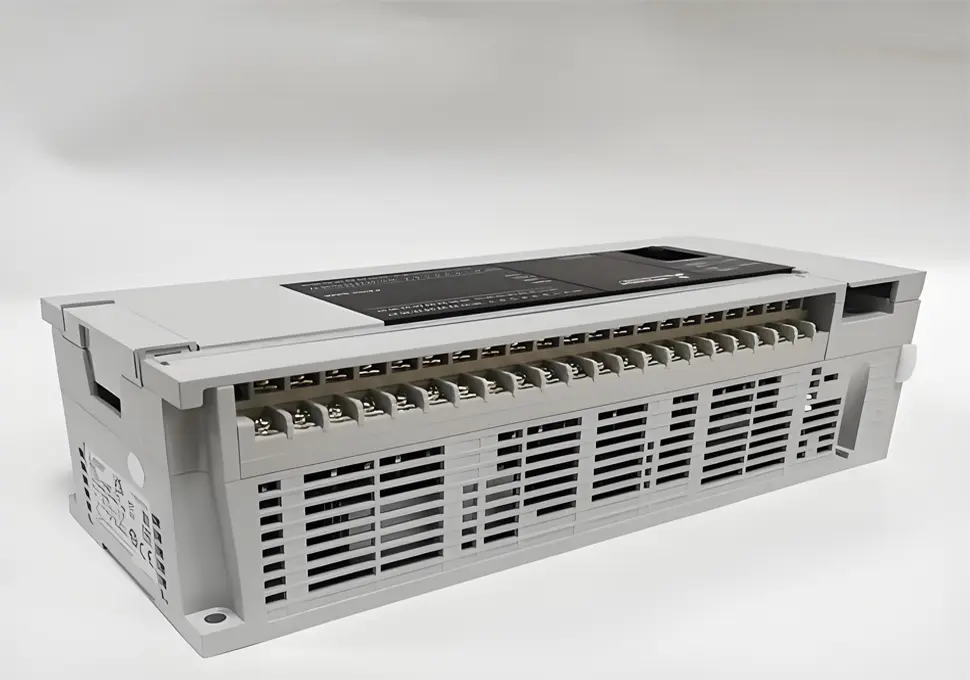
I. Control Principle
As the core control component, the PLC (Programmable Logic Controller) sends commands to the frequency inverter via digital or analog signals. In response, the inverter adjusts its output voltage and frequency to regulate the motor’s operating status—including start/stop functionality, speed adjustments, and forward/reverse rotation.
II. Common Control Methods
Based on the type of signals used, the main control methods are categorized as follows:
1. Digital Control (Switch Control)
- Application Scenario: Ideal for scenarios that only require motor start/stop and forward/reverse control, without the need for real-time speed adjustments (or when speeds are preset via the inverter panel).
- Connection Method:
-
- Connect the PLC’s Digital Output (DO) terminals to the inverter’s control terminals (e.g., “Forward Start”, “Reverse Start”, “Stop” terminals).
-
- Example: Link the PLC’s DO points to the inverter’s “FWD” (Forward), “REV” (Reverse), and “STOP” terminals. The inverter is activated when the PLC outputs high/low levels or triggers relay contacts.
- Advantages: Features simple wiring and strong anti-interference capabilities.
2. Analog Control
- Application Scenario: Perfect for applications that demand continuous motor speed adjustments (e.g., real-time speed modifications based on process requirements).
- Connection Method:
-
- Connect the PLC’s Analog Output (AO) terminals to the inverter’s Analog Input (AI) terminals. Most inverters support 0~10V voltage signals or 4~20mA current signals.
-
- The inverter outputs different frequencies in direct correspondence to the magnitude of the analog signal (e.g., a 0~10V signal corresponds to a 0~50Hz frequency output).
- Notes:
-
- Analog signals are prone to interference. Use shielded wires and route them away from high-voltage cables.
-
- Convert speed commands (e.g., 0~50Hz) into corresponding analog values (e.g., 0~10V) through PLC programming.
3. Communication Control
- Application Scenario: Utilized when transmitting large volumes of data (e.g., real-time inverter status monitoring, multi-speed setting, fault diagnosis) or implementing centralized control for multiple inverters.
- Common Communication Protocols:
-
- Modbus RTU (the most widely used protocol, transmitted via RS485 bus);
-
- Profibus, Profinet;
-
- Industrial buses such as DeviceNet and EtherCAT.
- Connection Method:
-
- Connect the PLC’s communication interface (e.g., RS485) to the inverter’s communication interface using shielded twisted-pair cables. Ensure correct polarity by connecting A to A and B to B.
- Advantages: Reduces wiring complexity and enables bidirectional data interaction—allowing the PLC to send commands while reading inverter feedback (e.g., current, frequency, fault codes).
III. Hardware Wiring Steps
Taking a “PLC + Inverter + Motor” system as an example, the basic wiring process is outlined below:
- Power Connection:
-
- Connect the inverter to a three-phase AC380V (or single-phase AC220V, depending on the model) main power supply (L1, L2, L3).
-
- Connect the PLC to a DC24V power supply (or AC220V, depending on the model) and ensure it shares a common ground with the inverter to minimize interference.
- Control Signal Wiring:
-
- Digital Signals: Connect the PLC’s DO terminals (e.g., Y0, Y1) to the inverter’s control terminals (e.g., FWD, REV) either directly or via relays. Ensure the common terminal (COM) is properly connected (e.g., to the inverter’s GND or 24V- terminal).
-
- Analog Signals: Connect the PLC’s AO terminals (e.g., voltage output terminals) to the inverter’s AI terminals (e.g., VI, GND). Verify that the signal types (voltage/current) match.
-
- Communication Cables: Connect the RS485 interfaces (A, B) of the PLC and inverter. Install terminal resistors at both ends to enhance anti-interference performance.
- Motor Connection:
-
- Connect the inverter’s output terminals (U, V, W) to the three-phase motor. Pay close attention to the phase sequence—swapping any two phases will reverse the motor’s rotation direction.
IV. PLC Program Design (Taking a Certain Series of PLC as an Example)
Program logic should be developed based on the selected control method. Below are simple illustrative examples:
- Digital Control (Start/Stop + Forward/Reverse Rotation):
// Forward rotation control: X0 is the start button, Y0 output controls inverter FWD
LD X0 // Start signal
OR Y0 // Self-locking
ANI X1 // Stop button (stops when X1 is disconnected)
ANI Y1 // Interlock (prevents simultaneous forward/reverse output)
OUT Y0
// Reverse rotation control: X2 is the reverse button, Y1 output controls inverter REV
LD X2
OR Y1
ANI X1
ANI Y0
OUT Y1
- Analog Control (Speed Regulation):
// Set target frequency (e.g., 30Hz) and convert to analog output value (0~4000 corresponds to 0~10V)
MOV K2400 D0 // 30Hz corresponds to 2400 (4000×30/50)
DAWR D0 K0 // Output D0 value to analog channel 0
-
- Output a 0~10V signal via the PLC’s analog output module. Configure the output value in the program as follows:
- Modbus Communication Control (Reading/Writing Frequency Example):
-
- Use the PLC’s Modbus commands (e.g., RS command) to send instructions via the RS485 bus:
-
-
- Write Frequency: Transmit the target frequency value to the inverter’s register address (refer to the inverter manual for specific addresses, e.g., 0001H for frequency setting).
-
-
-
- Read Frequency: Retrieve the current output frequency from the inverter’s register address (e.g., 0002H for the actual operating frequency).
-
V. Inverter Parameter Settings
Before operation, configure key parameters on the inverter panel or via dedicated software to ensure compatibility with PLC signals:
- Digital Control: Set the control mode to “External Terminal Control” (e.g., Parameter P00=1).
- Analog Control: Configure the analog input type (voltage/current, e.g., P03=0 for 0~10V) and frequency range (e.g., P04=50Hz).
- Communication Control: Set the communication protocol (e.g., Modbus RTU), baud rate (e.g., 9600), slave address (e.g., 1), and data format (8 data bits, 1 stop bit, no parity).
VI. Important Notes
- Anti-Interference Measures: Separate control signal lines from power lines. Use shielded wires for analog and communication lines, and ground the shield layer at one end.
- Safety Precautions: Ensure the inverter and motor are reliably grounded to prevent electric leakage. Connect the emergency stop circuit directly to the inverter’s emergency stop terminal (independent of the PLC) to enhance safety.
- Debugging Process: First test the motor’s normal operation using the inverter panel. Then connect the PLC and debug the control logic step by step.
By following these steps, you can achieve stable control of a frequency inverter using a PLC. For optimal performance, adjust parameters and programs according to the specific equipment model manual.