

Frequency Inverter Under Voltage Protection (LU) Troubleshooting Guide
Meta Description: Comprehensive guide to diagnose and fix frequency inverter under voltage protection (LU) faults. Learn common causes, step-by-step troubleshooting, and preventive maintenance tips.
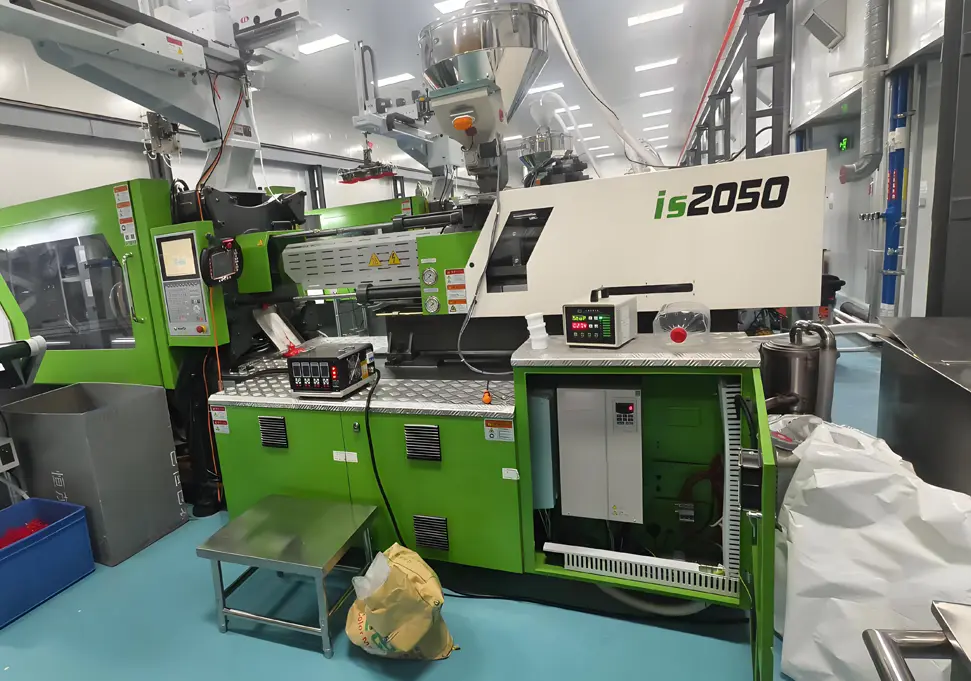
Understanding LU Faults
What is an LU Fault?
LU Fault Definition: When a frequency inverter displays the “LU” fault code, it indicates an Under Voltage Protection event. This means the inverter has detected that either the input power voltage or the internal DC bus voltage has dropped below the factory-set or user-configured protection threshold.
Key Characteristics of LU Faults
- Startup Issues: Inverter fails to start normally or trips immediately after power-on
- Operational Interruptions: Sudden shutdown during normal operation
- Visual Indications: Display panel shows “LU” or similar under voltage warning
- Audible Alarms: May be accompanied by warning beeps or indicator light flashes
Protection Mechanism Explained
The under voltage protection system activates when the DC bus voltage falls below 70% to 80% of the rated voltage. This protective measure:
- Blocks inverter pulse output to prevent damage to power components
- Shuts down the drive in a controlled manner
- Logs the fault for diagnostic purposes
- Prevents catastrophic failures of expensive components
Common Causes of Under Voltage Protection
1. Power Supply Issues
Grid Voltage Problems
- Chronic Low Voltage: Grid voltage consistently below 10% of rated value
- Transient Voltage Dips: Temporary voltage drops due to load changes
- Three-Phase Imbalance: Voltage differences between phases exceeding 5%
- Phase Loss: Complete or partial loss of one phase in three-phase systems
Wiring and Connection Problems
- Loose Terminals: Input terminal screws not properly tightened
- Oxidized Connections: Corrosion at terminal points causing increased resistance
- Undersized Cables: Cable cross-sectional area insufficient for current requirements
- Damaged Conductors: Insulation breakdown or physical damage to power cables
Switchgear Failures
- Contactor Issues: Pitted or worn contacts causing voltage drops
- Circuit Breaker Problems: Tripped breakers or faulty current sensing
- Fuse Failures: Blown fuses in the input circuit
- Relay Malfunctions: Faulty control relays affecting power supply
2. Internal Hardware Failures
Rectifier Circuit Problems
- Rectifier Bridge Damage: Open or shorted diode bridges
- Current Limiting Resistor Failure: Damaged charging resistors
- Thyristor Issues: Faulty SCRs in controlled rectifier circuits
- Snubber Circuit Failures: Damaged components in voltage suppression circuits
DC Link Component Failures
- Capacitor Aging: Electrolytic capacitor capacity degradation
- Capacitor Damage: Physical damage, bulging, or electrolyte leakage
- Poor Capacitor Connections: Loose or corroded capacitor terminals
- Balance Resistor Failures: Faulty resistors in capacitor bank circuits
Voltage Sensing Circuit Malfunctions
- Sampling Resistor Damage: Burned or open voltage divider resistors
- Sensor Failures: Malfunctioning voltage transducers or Hall effect sensors
- Amplifier Circuit Issues: Faulty operational amplifiers in detection circuits
- A/D Converter Problems: Analog-to-digital conversion errors in control board
3. Parameter Configuration Issues
Protection Setting Misconfiguration
- Incorrect Threshold Settings: Under voltage trip level set too high
- Aggressive Acceleration Profiles: Rapid acceleration causing voltage sag
- Inadequate Deceleration Times: Insufficient time for voltage recovery
- Disabled Protection Features: Critical protection functions turned off
Control Parameter Errors
- Voltage Level Mismatch: Parameter setting doesn’t match actual input voltage
- Compensation Functions Disabled: Voltage regulation features not activated
- Auto-Restart Not Configured: Inability to recover from transient conditions
- PID Tuning Issues: Aggressive PID parameters causing voltage fluctuations
4. Load and Environmental Factors
Load-Related Problems
- Motor Overload: Excessive load causing high starting currents
- High Inertia Loads: Large inertial masses requiring high starting torque
- Frequent Cycling: Repeated start-stop operations stressing the power supply
- Regenerative Loading: Motor acting as generator during deceleration
Environmental Influences
- Temperature Extremes: Operating outside specified temperature range
- Humidity Issues: High moisture affecting insulation and connections
- Contaminant Exposure: Dust, dirt, or chemicals affecting component performance
- Vibration Problems: Mechanical vibration causing loose connections
Step-by-Step Troubleshooting Process
Initial Assessment (15-30 Minutes)
Step 1: Fault Documentation
- Record Fault Details
-
- Exact fault code displayed (LU, UV, UU, etc.)
-
- Time and frequency of occurrence
-
- Operating conditions at fault time
-
- Recent equipment changes or maintenance
- Visual Inspection
-
- Check for obvious signs of damage or burning
-
- Inspect cooling fans and ventilation
-
- Verify all indicator lights and displays
-
- Check for unusual sounds or odors
Step 2: Power Supply Verification
Voltage Measurement Procedure:
Equipment Needed:
– Digital multimeter (True RMS preferred)
– Clamp-on ammeter
– Voltage recorder (if available)
Measurement Points:
1. Input terminal block (L1, L2, L3, N, PE)
2. DC bus terminals (P, N)
3. Output terminals (U, V, W)
Acceptable Voltage Ranges:
- 380V Three-Phase: 342V – 418V (±10%)
- 220V Single-Phase: 198V – 242V (±10%)
- DC Bus Voltage: 1.35 × AC input voltage (nominal)
Three-Phase Balance Check:
- Measure voltage between each pair of phases
- Calculate voltage imbalance using formula:
% Imbalance = (Max Voltage – Min Voltage) / Average Voltage × 100
- Acceptable imbalance: ≤ 5%
Step 3: Connection Integrity Check
Terminal Inspection:
- Verify all power connections are tight
- Check for signs of overheating (discoloration)
- Inspect for corrosion or oxidation
- Ensure proper torque on all terminal screws
Cable Assessment:
- Verify cable size meets specifications
- Check for physical damage or insulation deterioration
- Ensure proper cable routing and support
- Verify ground connections are secure
Advanced Diagnostics (30-60 Minutes)
Step 4: DC Bus Voltage Analysis
Measurement Technique:
- Safety First: Power off inverter and wait 5+ minutes
- Test Setup: Set multimeter to DC voltage (1000V range)
- Measurement Points: Connect to DC bus terminals (P positive, N negative)
- Record Values: Measure and document voltage readings
Expected DC Bus Voltages:
- 380V Input: 510V – 540V (no load)
- 220V Input: 300V – 310V (no load)
- During Operation: Should remain stable within ±5%
Step 5: Rectifier Circuit Testing
Diode Bridge Test:
- Power Off: Ensure inverter is completely de-energized
- Test Mode: Set multimeter to diode test function
- Test Procedure:
For each diode in the bridge:
– Forward bias: 0.5V – 0.7V voltage drop
– Reverse bias: Infinite resistance (OL)
– Any deviation indicates faulty diode
Thyristor Testing (if applicable):
- Test gate triggering characteristics
- Verify proper conduction and commutation
- Check snubber circuit components
Step 6: Capacitor Bank Evaluation
Visual Inspection:
- Check for bulging or swollen capacitor cases
- Look for electrolyte leakage (brownish fluid)
- Inspect for damaged capacitor terminals
- Check for signs of overheating
Capacity Measurement:
- Use capacitor tester to measure actual capacitance
- Compare with rated capacity (typically printed on capacitor)
- Replace if capacity has decreased by 20% or more
- Check ESR (Equivalent Series Resistance) if possible
Step 7: Voltage Detection Circuit Verification
Sampling Resistor Check:
- Locate voltage divider resistors on control board
- Measure resistance values against schematic
- Check for open circuits or resistance drift
- Inspect for signs of overheating or damage
Sensor Circuit Testing:
- Verify power supply to voltage sensors
- Measure sensor output signals
- Check signal integrity with oscilloscope
- Compare readings with expected values
Parameter and Software Diagnostics
Step 8: Parameter Configuration Review
Critical Parameter Checklist:
Protection Parameters:
– Under voltage trip level (typically 75-85% of rated)
– Acceleration time setting
– Deceleration time setting
– Voltage compensation enable
System Parameters:
– Input voltage rating
– Motor rated parameters
– Control mode selection
– Auto-restart configuration
Parameter Backup and Reset:
- Backup current parameter settings
- Reset to factory defaults if necessary
- Reconfigure essential parameters
- Test operation after reset
Step 9: Fault Log Analysis
Retrieve Fault Records:
- Access inverter’s fault history menu
- Record detailed fault information:
-
- Fault code and description
-
- DC bus voltage at fault
-
- Output current at fault
-
- Operating frequency
-
- Timestamp and sequence
Pattern Recognition:
- Look for trends in fault occurrences
- Identify specific operating conditions
- Check for correlation with other events
- Determine if faults are random or systematic
Effective Solutions for LU Faults
Power Supply Solutions
Grid Voltage Improvement
Voltage Stabilization:
- Three-Phase Voltage Regulators: Automatic voltage correction for chronic low voltage
- Dynamic Voltage Restorers (DVR): For voltage sags and swells
- UPS Systems: Uninterruptible power supply for critical applications
- Isolation Transformers: Provide clean power and isolation
Harmonic Mitigation:
- Active Power Filters: Cancel harmonic currents
- Passive Filter Banks: Tune out specific harmonics
- Line Reactors: Reduce harmonic distortion and improve power factor
- Resonant Filters: Targeted harmonic elimination
Wiring and Connection Improvements
Connection Enhancement:
- Terminal Treatment: Clean and treat terminals with anti-oxidant compound
- Torque Specification: Follow manufacturer torque recommendations
- Connection Verification: Use torque wrench for critical connections
- Cable Upgrade: Install larger gauge cables if voltage drop is excessive
Protection Devices:
- Surge Protectors: Protect against voltage spikes
- Line Filters: Reduce electromagnetic interference
- Current Limiting Devices: Prevent overload conditions
- Ground Fault Protection: Detect and clear ground faults
Hardware Repair Solutions
Rectifier Circuit Repair
Component Replacement Guidelines:
Rectifier Bridge Replacement:
1. Select exact replacement or approved equivalent
2. Clean heatsink and apply new thermal compound
3. Torque mounting hardware to specification
4. Test all diodes after installation
5. Verify isolation between heatsink and circuit
Current Limiting Circuit:
- Replace damaged current limiting resistors
- Check associated control circuits
- Verify proper operation of soft-start circuit
- Test for proper voltage build-up during startup
DC Link Capacitor Replacement
Capacitor Selection Criteria:
- Voltage Rating: Minimum 1.5 × AC input voltage
- Temperature Rating: 85°C or 105°C (preferred)
- Capacitance Value: Match original specifications
- Ripple Current Rating: Meet or exceed original
Replacement Procedure:
- Safety Precautions: Discharge capacitors completely
- Documentation: Take photos of wiring before disassembly
- Removal: Carefully desolder or disconnect old capacitors
- Installation: Mount new capacitors with correct polarity
- Verification: Check all connections before powering up
Voltage Detection Circuit Repair
Component-Level Repairs:
- Replace faulty voltage divider resistors
- Repair or replace damaged op-amp circuits
- Calibrate voltage sensing circuits
- Verify A/D converter functionality
Sensor Replacement:
- Install new voltage transducers if necessary
- Calibrate sensors according to manufacturer specs
- Verify signal integrity and noise levels
- Check for proper isolation and grounding
Parameter Optimization Strategies
Protection Parameter Tuning
Recommended Settings:
Under Voltage Protection:
– Trip Level: 75-80% of rated voltage (adjust based on grid quality)
– Time Delay: 0.5-2 seconds (prevent nuisance tripping)
– Hysteresis: 5-10% (prevent oscillation around trip point)
Voltage Regulation:
– Enable dynamic voltage compensation
– Set voltage boost appropriately for load type
– Configure auto-restart with appropriate delay
Acceleration and Deceleration Profiles:
- Extend acceleration time for high inertia loads
- Implement S-curve acceleration for smooth voltage transition
- Use adaptive acceleration based on load conditions
- Configure deceleration to match load characteristics
Control Algorithm Optimization
Voltage-Oriented Control:
- Implement vector control for better voltage regulation
- Optimize flux weakening parameters
- Adjust current limits for voltage stability
- Tune PID loops for optimal response
Adaptive Control Strategies:
- Enable load adaptive control
- Implement voltage droop compensation
- Configure current sharing for multiple drives
- Use predictive control algorithms if available
Auxiliary Equipment Solutions
Reactor Installation
Input Reactor Benefits:
- Reduces harmonic distortion
- Improves power factor
- Limits inrush current
- Provides isolation from grid disturbances
Selection Guidelines:
- 3-5% impedance typically recommended
- Match current rating to inverter capacity
- Consider voltage drop across reactor
- Ensure proper cooling and mounting
Filter Implementation
EMI Filter Selection:
- Choose filters rated for inverter switching frequency
- Select appropriate attenuation levels
- Ensure proper grounding and shielding
- Verify filter compatibility with drive
Harmonic Filter Design:
- Design filters for specific harmonic frequencies
- Consider resonance issues with power system
- Implement active harmonic filters for variable loads
- Monitor filter performance after installation
Preventive Maintenance Strategies
Regular Inspection Schedule
Daily Preventive Checks
Visual Inspection Items:
- Check all indicator lights and displays
- Verify cooling fan operation
- Inspect for unusual sounds or odors
- Check for signs of overheating or burning
- Verify proper ventilation and airflow
Basic Measurements:
- Record input voltage levels
- Monitor DC bus voltage stability
- Check output current and load levels
- Verify temperature readings
Weekly Maintenance Tasks
Cleaning and Inspection:
- Clean inverter exterior and cooling vents
- Inspect cable connections for tightness
- Check for signs of rodent or insect infestation
- Verify all safety guards and covers are in place
Functional Testing:
- Test emergency stop functionality
- Verify fault reset procedures
- Check communication links if applicable
- Test backup systems and redundancy
Monthly Maintenance Activities
Detailed Inspections:
- Measure and record key electrical parameters
- Inspect capacitors for signs of aging
- Check cooling system performance
- Verify all protective functions
Calibration Checks:
- Calibrate voltage and current sensors
- Verify temperature sensor accuracy
- Check encoder or resolver alignment
- Test speed reference accuracy
Annual Comprehensive Maintenance
Major Inspections:
- Complete internal cleaning of inverter
- Inspect and tighten all electrical connections
- Check insulation resistance of power components
- Test all protective devices and interlocks
Component Testing:
- Measure capacitor capacitance and ESR
- Test rectifier and inverter components
- Verify control board functionality
- Check all cooling systems thoroughly
Predictive Maintenance Techniques
Condition Monitoring
Key Parameters to Monitor:
- Input and output voltage trends
- Current harmonics and distortion
- Temperature profiles of critical components
- Vibration levels of cooling fans and transformers
- Capacitor ESR and capacitance changes
Monitoring Technologies:
- Implement online monitoring systems
- Use thermal imaging for temperature checks
- Employ power quality analyzers
- Utilize vibration analysis tools
- Install current and voltage sensors
Data Analysis and Trending
Fault Prediction Models:
- Establish baseline operating parameters
- Develop trend analysis algorithms
- Implement anomaly detection systems
- Create predictive maintenance schedules based on data
Root Cause Analysis:
- Track fault patterns and frequencies
- Analyze maintenance history data
- Identify recurring issues and their causes
- Implement corrective actions to prevent recurrence
Environmental Control Measures
Temperature Management
Optimal Operating Conditions:
- Maintain ambient temperature: 0°C to 40°C
- Control temperature rise inside enclosure
- Ensure proper ventilation and airflow
- Implement temperature monitoring and alarms
Cooling System Design:
- Select appropriate cooling method (air, liquid)
- Size cooling systems for worst-case conditions
- Implement redundancy for critical applications
- Regularly clean and maintain cooling systems
Humidity and Contaminant Control
Environmental Protection:
- Maintain relative humidity: 20% to 90% (non-condensing)
- Install dehumidifiers if necessary
- Implement air filtration systems
- Use protective coatings for PCBs in harsh environments
Enclosure Design:
- Select appropriate NEMA rating for environment
- Implement positive pressure ventilation
- Use gaskets and seals to prevent ingress
- Install drainage systems for condensation
Training and Documentation
Technical Training Programs
Maintenance Personnel Training:
- Basic electrical safety training
- Inverter theory and operation
- Troubleshooting techniques
- Preventive maintenance procedures
- Emergency response protocols
Operator Training:
- Normal operation procedures
- Basic fault recognition
- Emergency shutdown procedures
- Daily inspection requirements
- Proper startup and shutdown sequences
Documentation and Records
Maintenance Documentation:
- Develop comprehensive maintenance manuals
- Create standardized inspection checklists
- Maintain detailed maintenance records
- Document all repairs and component replacements
- Track equipment history and performance
Knowledge Management:
- Establish best practices database
- Document lessons learned from 故障 s
- Create troubleshooting flowcharts
- Develop technical library and resources
- Implement knowledge sharing protocols
Critical Safety Precautions
Electrical Safety Fundamentals
Lockout/Tagout Procedures
Step-by-Step LOTO Process:
- Prepare for Shutdown: Notify all affected personnel
- Shut Down Equipment: Follow proper shutdown procedures
- Disconnect Power: Turn off all power sources
- Apply Locks and Tags: Secure all energy isolation points
- Verify Isolation: Test to ensure no energy is present
- Perform Work: Conduct maintenance or repairs
- Remove Locks and Tags: After work is completed
- Restore Power: Follow proper startup procedures
LOTO Equipment Requirements:
- Unique locks for each authorized employee
- Standardized warning tags
- Lockout hasps for multiple locks
- Test equipment to verify isolation
- Training on LOTO procedures
Arc Flash Protection
Risk Assessment:
- Perform arc flash hazard analysis
- Determine incident energy levels
- Establish flash protection boundary
- Select appropriate personal protective equipment
PPE Requirements:
- Arc-rated clothing (minimum 4 cal/cm²)
- Arc-rated face shield or hood
- Insulated gloves with leather protectors
- Safety glasses with side shields
- Hard hat and safety shoes
Maintenance Safety Procedures
Capacitor Discharge Protocol
Safe Discharge Procedure:
- Power Off: Turn off all power to the inverter
- Wait Time: Allow capacitors to discharge naturally (minimum 5 minutes)
- Verify Discharge: Use insulated tools to short P and N terminals
- Test Voltage: Use properly rated voltmeter to confirm zero voltage
- Apply Shorting Bar: Install permanent shorting bar during maintenance
Tools and Equipment:
- Insulated screwdrivers and pliers
- Voltage tester with appropriate rating
- Shorting sticks with insulated handles
- Personal protective equipment
Component Handling Safety
Capacitor Safety:
- Avoid touching capacitor terminals
- Use insulated tools when working with capacitors
- Discharge capacitors before handling
- Store capacitors properly to prevent damage
Semiconductor Handling:
- Use ESD protection when handling PCBs
- Avoid static discharge near sensitive components
- Use proper tools for component removal and installation
- Follow anti-static procedures at all times
Electrical Installation Safety
Grounding Requirements
System Grounding:
- Ensure proper earth ground connection
- Maintain ground resistance ≤ 4 ohms
- Use dedicated grounding conductors
- Verify ground continuity regularly
Equipment Grounding:
- Connect all metal enclosures to ground
- Use proper grounding lugs and hardware
- Ensure low impedance ground paths
- Check for ground loops and correct if necessary
Wiring Safety Standards
Conductor Requirements:
- Use conductors rated for inverter application
- Ensure proper insulation rating
- Follow current carrying capacity guidelines
- Maintain proper wire bending radius
Termination Standards:
- Use approved terminals and lugs
- Follow torque specifications carefully
- Ensure proper conductor stripping length
- Verify all connections are tight and secure
Emergency Procedures
Electrical Emergency Response
Shock Response Protocol:
- Turn off power immediately
- Call for emergency medical assistance
- Do not touch victim if still energized
- Use non-conductive tools to separate victim from power
- Administer first aid as needed
Fire Response:
- Use appropriate fire extinguisher (Class C for electrical fires)
- Cut power to affected equipment
- Evacuate area if necessary
- Follow facility fire safety procedures
- Notify emergency services
Equipment Failure Response
Fault Response Plan:
- Document all fault information
- Follow lockout/tagout procedures
- Assess extent of damage
- Implement temporary repairs if necessary
- Develop permanent solution
Contingency Planning:
- Establish backup systems for critical applications
- Develop emergency operating procedures
- Train personnel on emergency response
- Maintain spare parts inventory
- Establish relationships with emergency repair services
Conclusion and Best Practices
Summary of Key Points
Effective LU Fault Resolution Requires:
- Systematic Approach: Follow structured troubleshooting methodology
- Root Cause Identification: Address underlying issues, not just symptoms
- Preventive Focus: Implement proactive maintenance strategies
- Safety First: Always prioritize safety in all maintenance activities
- Documentation: Keep detailed records of all maintenance activities
Best Practices for Inverter Reliability
Installation Best Practices:
- Follow manufacturer installation guidelines precisely
- Ensure proper environmental conditions
- Implement adequate cooling systems
- Use high-quality components and materials
- Verify all electrical connections before startup
Operation Best Practices:
- Operate within rated parameters
- Implement proper startup and shutdown procedures
- Monitor key operating parameters regularly
- Address minor issues before they become major problems
- Maintain proper documentation of all operations
Maintenance Best Practices:
- Follow recommended maintenance schedules
- Use proper tools and equipment
- Maintain clean and organized work area
- Keep accurate maintenance records
- Continuously improve maintenance processes
Continuous Improvement Strategies
Performance Monitoring:
- Implement comprehensive monitoring systems
- Analyze operating data for improvement opportunities
- Track key performance indicators
- Benchmark against industry standards
Training and Development:
- Invest in ongoing training for maintenance personnel
- Stay updated on new technologies and techniques
- Share knowledge and best practices
- Develop expertise in specific inverter technologies
Technology Upgrades:
- Evaluate new technologies for potential benefits
- Consider retrofitting with newer components
- Implement advanced control algorithms
- Upgrade monitoring and diagnostic capabilities
By implementing these comprehensive strategies for troubleshooting, repair, and preventive maintenance, you can significantly reduce the occurrence of under voltage protection faults and improve the overall reliability and performance of your frequency inverter systems.