

How to Properly Set Inverter Acceleration and Deceleration Times: A Comprehensive Guide
If you’re working with industrial inverters, understanding how to set acceleration and deceleration times correctly is crucial for equipment performance, safety, and longevity. This expert guide will walk you through the entire process, from basic concepts to advanced optimization techniques.
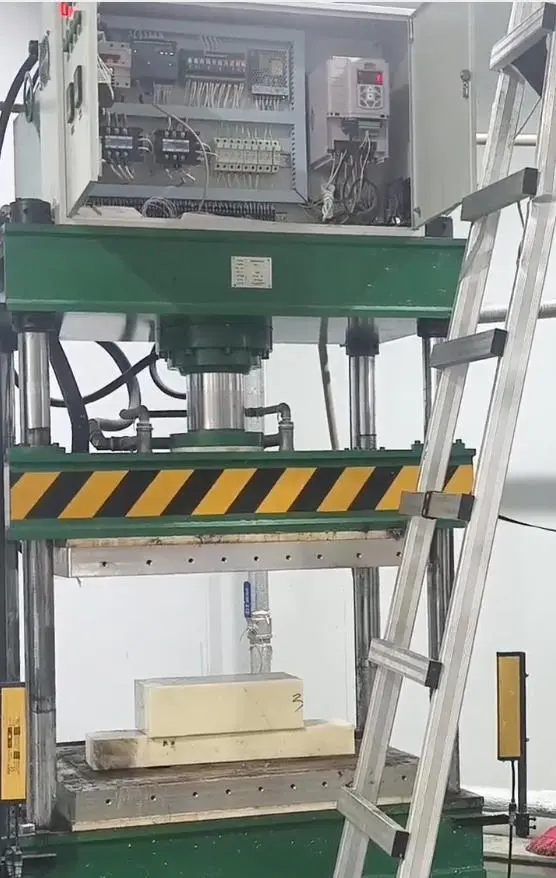
Understanding Acceleration and Deceleration Times
Acceleration time refers to the duration required for the inverter output frequency to increase from 0Hz to the maximum operating frequency (typically 50Hz or 60Hz). Deceleration time is the time needed for the frequency to decrease from maximum back to 0Hz.
These parameters control how smoothly your motor transitions between speed changes, directly impacting:
- Mechanical stress on equipment
- Energy consumption
- Production efficiency
- System reliability
Consequences of Improper Settings
Too Short Acceleration Time
- Excessive inrush current that may trigger overcurrent protection
- Increased mechanical stress on motor and transmission components
- Higher energy consumption during startup
- Potential equipment damage from shock loads
- Reduced component lifespan due to frequent stress
Too Short Deceleration Time
- Regenerative energy overload causing DC bus overvoltage
- Unstable stopping or excessive coasting distance
- Increased mechanical vibration and noise
- Need for additional braking components
- Risk of damage to sensitive equipment
Proper Setting Principles
Setting Based on Load Characteristics
|
Load Type
|
Recommended Acceleration Time
|
Recommended Deceleration Time
|
Typical Applications
|
Key Considerations
|
|
Light Load
|
5-15 seconds
|
10-20 seconds
|
Fans, pumps, air compressors
|
Avoid insufficient starting torque
|
|
Medium Load
|
10-30 seconds
|
15-35 seconds
|
Conveyors, mixers, small machines
|
Prevent material slippage
|
|
Heavy Load
|
20-60+ seconds
|
25-50+ seconds
|
Cranes, machine tools, extruders
|
Minimize mechanical shock
|
Setting Based on Motor Power Requirements
|
Motor Power Range
|
Suggested Acceleration Time
|
Suggested Deceleration Time
|
|
Small (<5.5kW)
|
5-15 seconds
|
8-20 seconds
|
|
Medium (5.5-37kW)
|
10-30 seconds
|
15-35 seconds
|
|
Large (>37kW)
|
20-60 seconds
|
25-50 seconds
|
Step-by-Step Commissioning Process
Phase 1: Initial Setup and Preparation
- Safety First
-
- Ensure equipment is completely stopped and disconnected from power
-
- Verify all safety guards are in place
-
- Prepare necessary tools: multimeter, oscilloscope, and manufacturer’s manual
- Parameter Reset
-
- Perform factory reset to clear previous settings
-
- Record all original parameters before making changes
-
- Input basic motor parameters from the nameplate
- Initial Time Settings
-
- Start with conservative values (30-60 seconds)
-
- Set acceleration and deceleration times to the same initial value
-
- Enable basic protection functions
Phase 2: Testing and Evaluation
- No-Load Testing
-
- Start the inverter without connected load
-
- Monitor current waveforms during acceleration/deceleration
-
- Check for abnormal noise or vibration
-
- Verify no protection functions are triggered
- Light Load Testing
-
- Apply 25-50% of rated load
-
- Record current peaks and voltage levels
-
- Observe mechanical response and stability
-
- Document any issues or concerns
- Full Load Testing
-
- Apply 100% rated load
-
- Perform multiple start-stop cycles
-
- Monitor temperature rise in motor and inverter
-
- Check for any performance degradation
Phase 3: Optimization and Fine-Tuning
- Gradual Adjustment
-
- Reduce times in 2-3 second increments
-
- Test thoroughly after each adjustment
-
- Continue until approaching protection thresholds
-
- Set final values with 10-15% safety margin
- Performance Verification
-
- Conduct extended runtime tests
-
- Verify consistent performance across load variations
-
- Check energy consumption and efficiency
-
- Document final parameter settings
Mathematical Calculation Reference
For precise applications, use the following formula to calculate minimum acceleration time:
Minimum acceleration time ≥ (J × Δn) / (9.55 × (Tmotor – Tload))
Where:
- J: Total system moment of inertia (kg·m²)
- Δn: Speed change (rpm)
- Tmotor: Motor output torque (N·m)
- Tload: Load torque (N·m)
- 9.55: Conversion constant (60/(2π))
Brand-Specific Parameter Settings
Dream We Inverters
V20/G120C Series:
- P1120: Acceleration time (default: 10 seconds)
- P1121: Deceleration time (default: 10 seconds)
- P2157/P2159: Dual ramp frequency thresholds
- P1060/P1061: High-speed acceleration/deceleration times
Setup Procedure:
- Press “MENU” to enter parameter mode
- Navigate to “Quick Commissioning”
- Follow guided setup wizard
- Verify settings in “Expert List”
Yaskawa Inverters
A1000/J1000 Series:
- C1-01: Acceleration time 1 (default: 5 seconds)
- C1-02: Deceleration time 1 (default: 5 seconds)
- C1-05/C1-06: S-curve time constants
- C1-10: Acceleration pattern selection
Software Setup:
- Connect via DriveWizard Plus
- Use “Auto-Tuning” function
- Configure advanced parameters
- Download settings to inverter
Mitsubishi Inverters
FR-E700/FR-A800 Series:
- Pr.7: Acceleration time (default: 5 seconds)
- Pr.8: Deceleration time (default: 5 seconds)
- Pr.292: Automatic acceleration/deceleration
- Pr.61-Pr.63: Current reference values
Quick Setup:
- Press “MODE” to enter parameter mode
- Rotate dial to select parameter number
- Press “SET” to modify value
- Hold “SET” for 2 seconds to save
Inovance Inverters
MD310/MD500 Series:
- F0-17: Acceleration time 1 (default: 10 seconds)
- F0-18: Deceleration time 1 (default: 10 seconds)
- F0-19: Time unit selection (0.1s default)
- F6-08/F6-09: S-curve parameters
Operation Panel Setup:
- Press “PRG” to enter programming mode
- Use arrow keys to navigate to F0 group
- Adjust parameters using numeric keypad
- Press “ENTER” to confirm changes
Advanced Control Features
S-Curve Acceleration/Deceleration
Benefits:
- Eliminates sudden acceleration changes
- Reduces mechanical shock and wear
- Improves product quality for delicate applications
- Extends equipment lifespan
Implementation:
- Enable S-curve function in parameters
- Set start and end segment ratios (typically 20-40%)
- Adjust transition smoothness
- Test and optimize for specific application
Recommended Applications:
- Elevators and lifts
- Precision conveyors
- Food processing equipment
- Pharmaceutical machinery
Multi-Segment Time Control
Functionality:
- Different acceleration/deceleration times for different speed ranges
- Automatic switching based on frequency thresholds
- Customizable speed bands for complex processes
- Seamless transitions between segments
Setup Considerations:
- Define speed thresholds and corresponding times
- Configure switching logic (automatic or manual)
- Set transition parameters for smooth operation
- Test all combinations thoroughly
Adaptive Acceleration Control
Intelligent Features:
- Real-time load monitoring
- Automatic time adjustment based on conditions
- Energy optimization algorithms
- Predictive maintenance capabilities
Implementation Requirements:
- Advanced inverter model with adaptive functions
- Proper sensor installation (if required)
- Initial calibration and tuning
- Regular performance monitoring
Safety Considerations and Best Practices
Electrical Safety Protocols
- Lockout/Tagout Procedures
-
- Always disconnect power before parameter changes
-
- Use proper lockout devices on main disconnects
-
- Verify zero voltage with appropriate test equipment
-
- Follow company safety procedures at all times
- Protective Equipment
-
- Insulated gloves (Class 00 or higher)
-
- Safety glasses with side shields
-
- Flame-resistant clothing when appropriate
-
- Insulated tools for electrical work
- Emergency Procedures
-
- Know location of emergency stop buttons
-
- Prepare fire extinguisher rated for electrical fires
-
- Have first aid kit readily available
-
- Post emergency contact information
Mechanical Safety Considerations
- Equipment Protection
-
- Install proper guarding around moving parts
-
- Use vibration dampeners where necessary
-
- Implement overload protection devices
-
- Regularly inspect mechanical components
- Process Safety
-
- Consider product damage from rapid speed changes
-
- Implement interlocks for sequential operations
-
- Use position sensors for critical applications
-
- Design fail-safe systems for emergency conditions
Troubleshooting Common Issues
Overcurrent Faults During Acceleration
Possible Causes:
- Acceleration time too short for load conditions
- Insufficient torque for starting load
- Motor or cable insulation failure
- Incorrect motor parameters
Solutions:
- Increase acceleration time incrementally
- Adjust torque boost or V/F pattern
- Check motor and cable integrity
- Verify motor parameters match nameplate
Overvoltage Faults During Deceleration
Possible Causes:
- Deceleration time too short for inertial load
- Excessive regenerative energy
- Inadequate braking capacity
- Power grid voltage fluctuations
Solutions:
- Extend deceleration time
- Install braking resistor or unit
- Enable overvoltage stall prevention
- Check and stabilize input voltage
Mechanical Shock or Vibration
Possible Causes:
- Abrupt acceleration/deceleration
- Resonance at specific frequencies
- Mechanical misalignment
- Loose components
Solutions:
- Implement S-curve acceleration
- Add frequency skip bands
- Perform mechanical alignment
- Tighten all fasteners and connections
Preventive Maintenance Recommendations
Regular Inspection Schedule
Monthly Maintenance:
- Verify parameter settings are correct
- Check cooling system operation
- Inspect electrical connections
- Clean inverter and motor surfaces
Quarterly Maintenance:
- Measure insulation resistance
- Check for unusual noises or vibrations
- Verify protection functions
- Test emergency stop functionality
Annual Maintenance:
- Complete parameter backup
- Inspect and clean cooling fans
- Check for component aging
- Verify torque and performance
Documentation Requirements
- Parameter Records
-
- Maintain current parameter settings
-
- Document all changes with dates and reasons
-
- Keep historical performance data
-
- Store backup files securely
- Maintenance Logs
-
- Record all maintenance activities
-
- Document test results and measurements
-
- Track component replacement history
-
- Note any unusual observations
- Troubleshooting Records
-
- Document all fault codes and solutions
-
- Track recurring issues
-
- Record technician observations
-
- Update procedures based on experience
Conclusion and Final Recommendations
Proper setting of inverter acceleration and deceleration times is a critical aspect of industrial automation system design and operation. By following the guidelines and procedures outlined in this comprehensive guide, you can achieve:
- Smooth and efficient operation of motor systems
- Reduced mechanical stress and extended equipment life
- Optimized energy consumption and cost savings
- Improved safety for personnel and equipment
- Enhanced productivity and process quality
Key takeaways:
- Always start with conservative time settings and gradually optimize
- Consider both electrical and mechanical aspects of the system
- Document all parameter changes and test results
- Implement appropriate safety measures at all stages
- Regularly review and update settings as operating conditions change
Remember that every application is unique, and the optimal settings may require adjustment based on specific load characteristics, process requirements, and equipment limitations. Continuous monitoring and periodic re-evaluation will ensure ongoing optimal performance.
For complex applications or when encountering persistent issues, consult with the inverter manufacturer’s technical support team or a qualified automation specialist to ensure the best possible solution for your specific needs.