

Inverter Digital Input/Output: A Comprehensive Guide to Switching Quantity in Industrial Automation
1. Basic Concepts of Switching Quantity
1.1 What is Switching Quantity
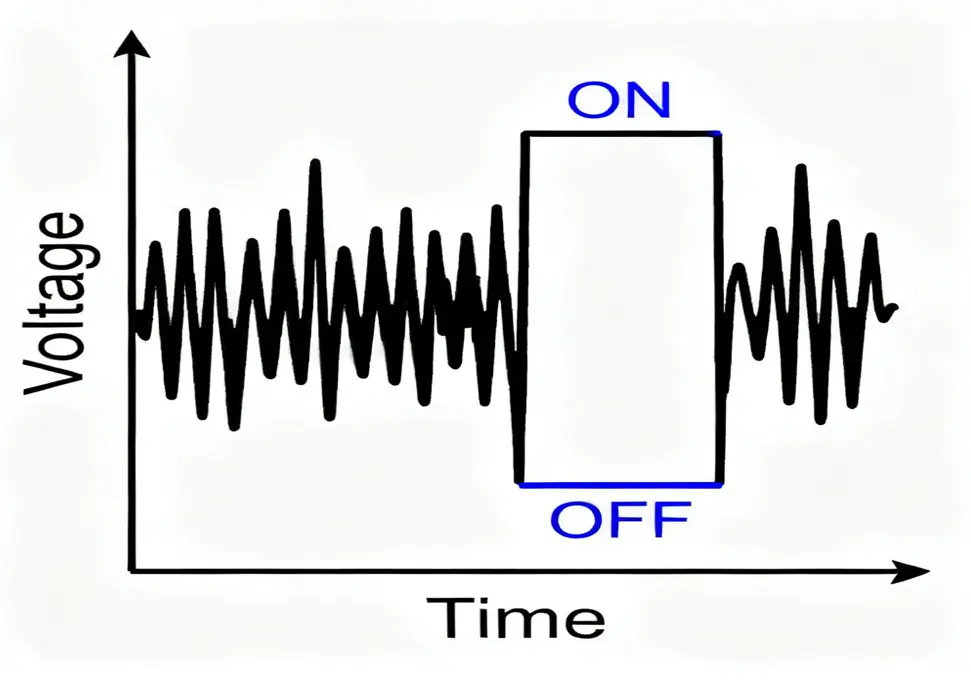
Switching quantity, also known as discrete quantity or digital quantity, refers to electrical signals that have only two distinct states: ON/OFF, open/closed, or binary 0/1. In industrial automation, switching quantity forms the foundation of logic control systems, providing simple yet powerful mechanisms to control and monitor equipment status in manufacturing and process industries.
Key Characteristics of Switching Quantity:
- Binary nature: Only two possible states exist
- Instantaneous transition: Changes occur abruptly between states
- Stable states: Remains in one state until triggered to change
- Easy to process: Simple for digital systems to interpret and generate
**
1.2 Common Switching Quantity Signals
In industrial control systems, common switching quantity signals include:
Input Signals:
- Start/Stop buttons: Manual control of equipment operation
- Limit switches: Detecting mechanical positions
- Emergency stop signals: Safety interlock mechanisms
- Selector switches: Mode selection and configuration
- Proximity sensors: Non-contact object detection
- Pressure switches: Pressure threshold detection
- Temperature switches: Temperature limit protection
Output Signals:
- Contactor coils: Controlling power circuits
- Indicator lights: Status visualization
- Solenoid valves: Fluid control
- Relay coils: Circuit switching
- Alarm devices: Audible/visual alerts
1.3 Switching Quantity in Daily Life
Switching quantity is ubiquitous in our daily lives:
- Light switches: Turning lights on and off
- Power buttons: Activating electronic devices
- Doorbells: Pushbutton activation
- Thermostat controls: Heating/cooling system activation
- Car ignition: Engine start/stop control
These everyday examples demonstrate the fundamental simplicity and effectiveness of switching quantity control.
2. Inverter Digital Input (DI)
2.1 Definition of Digital Input
Digital Input (DI) terminals on variable frequency drives (VFDs) serve as the primary interface for receiving external switching signals from various control devices. These inputs enable operators and automated control systems to command the inverter to perform specific functions through simple yet reliable ON/OFF electrical signals.
2.2 Digital Input Terminal Identification
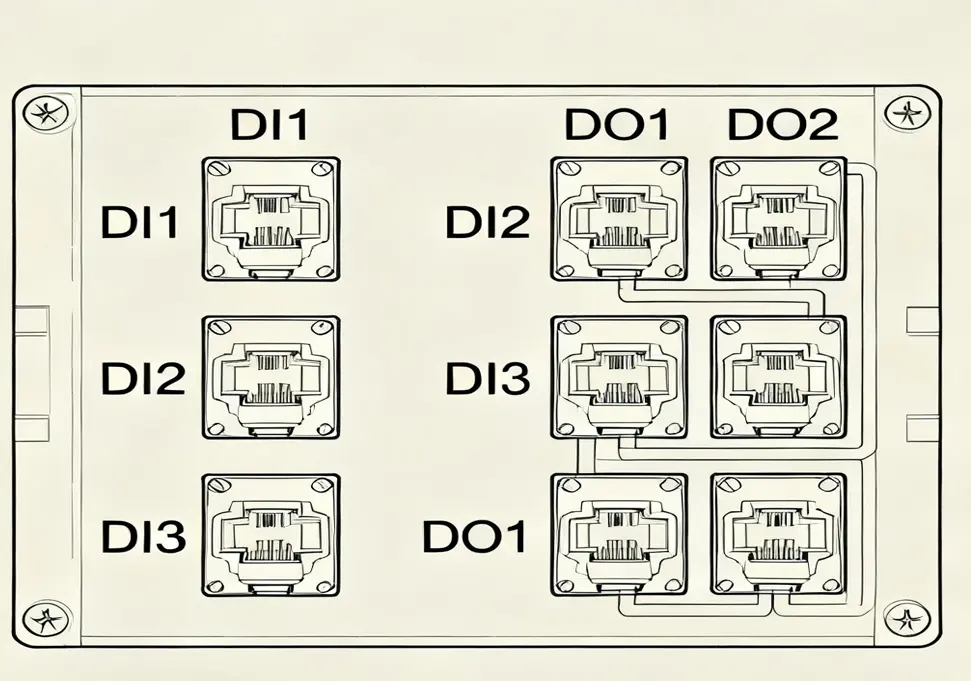
Inverters typically provide multiple digital input terminals with standardized labeling:
Common Terminal Identifiers:
- DI1, DI2, DI3…: Digital Input 1, 2, 3…
- X0, X1, X2…: Input terminals (PLC-style notation)
- S0, S1, S2…: Signal input terminals
- MI1, MI2, MI3…: Multi-function Input terminals
- COM: Common terminal for all digital inputs
**
2.3 Functions of Digital Input
Digital inputs can be programmed to perform various functions through parameter settings:
Basic Control Functions:
- Start/Stop (DI1): Initiate or halt inverter operation
- Forward/Reverse (DI2): Control motor rotation direction
- Jog operation: Temporary low-speed operation
- Emergency stop: Immediate shutdown for safety
Speed Control Functions:
- Multi-speed selection: Switch between preset speed levels
- Acceleration/deceleration control: Adjust ramp times
- Frequency up/down: Incremental speed adjustment
- Skip frequency: Avoid mechanical resonance points
Special Functions:
- Fault reset: Clear fault conditions
- Program selection: Switch between operating programs
- External fault input: Monitor external safety devices
- PID control enable: Activate closed-loop control
- Local/remote control: Switch control sources
2.4 Parameter Setting for Digital Input
Taking Siemens MM440 inverter as an example, typical parameter settings for digital inputs:
|
Parameter No.
|
Parameter Function
|
Setting Value
|
Description
|
|
P0700
|
Command source selection
|
2
|
Digital input control
|
|
P0701
|
DI1 function
|
1
|
ON = Start, OFF = Stop
|
|
P0702
|
DI2 function
|
2
|
ON = Reverse, OFF = Forward
|
|
P0703
|
DI3 function
|
9
|
Fault reset
|
|
P0704
|
DI4 function
|
15
|
Multi-speed selection
|
|
P0705
|
DI5 function
|
10
|
Frequency increment
|
2.5 Digital Input Wiring Methods
Basic Button Connection:
+24V Power Supply Inverter
+24V —-+—- Button —-+—- DI1
| |
| |
+—- COM ——–+—- COM
Two-Wire Control Wiring:
Start Button Stop Button Inverter
+24V —-+—-+ +—-+—- DI1
| | | |
| +———+ |
| |
+——————-+—- COM
Three-Wire Control Wiring:
Start Button Stop Button Reset Button Inverter
+24V —-+—-+ +—-+—-+ +—-+—- DI1 (Start)
| | | | | | |
| +———+ | +———+ |
| | |
+——————-+——————-+—- COM
|
+—- DI2 (Stop)
|
+—- DI3 (Reset)
3. Inverter Digital Output (DO)
3.1 Definition of Digital Output
Digital Output (DO) terminals on inverters provide switching signals that reflect the inverter’s internal status. These outputs allow external devices to monitor the inverter’s operation and respond to specific conditions.
3.2 Types of Digital Output
Inverters typically offer two main types of digital outputs:
Relay Output:
- Characteristics: Electromechanical switches with isolated contacts
- Advantages: High current capacity, voltage isolation, dry contacts
- Disadvantages: Slower response time, mechanical wear
- Common labeling: TA, TB, TC (SPDT relay)
- Typical ratings: 250VAC/2A or 30VDC/5A
Transistor Output:
- Characteristics: Solid-state electronic switches
- Advantages: Fast response, no mechanical wear, long life
- Disadvantages: Lower current capacity, polarity sensitive
- Common labeling: DO1, DO2, DO3…
- Typical ratings: 24VDC/0.5A or 1A
3.3 Functions of Digital Output
Digital outputs can be configured to indicate various inverter states:
Operation Status Outputs:
- Running (DO1): Inverter is actively outputting power
- Stopped: Inverter is in standby mode
- Forward/Reverse indication: Motor rotation direction
- Jogging: Inverter is in jog mode
Fault and Alarm Outputs:
- Fault (DO2): Inverter has detected a fault condition
- Overload warning: Motor or inverter is approaching overload
- Overvoltage/Undervoltage: Power supply abnormality detected
- Overheating: Temperature exceeds safe limits
Control Status Outputs:
- Frequency reached: Output frequency matches setpoint
- Current limit active: Output current is limited
- PID feedback: Process variable status
- Ready to run: Inverter is powered and ready
3.4 Parameter Setting for Digital Output
Taking Siemens MM440 inverter as an example, parameter settings for digital outputs:
|
Parameter No.
|
Parameter Function
|
Setting Value
|
Description
|
|
P0731
|
DO1 function
|
52.2
|
Running status output
|
|
P0732
|
DO2 function
|
52.3
|
Fault status output
|
|
P0733
|
DO3 function
|
52.1
|
Ready status output
|
|
P0748
|
Output inversion
|
0
|
Normal operation (no inversion)
|
3.5 Digital Output Wiring Methods
Relay Output Wiring (Status Indicator):
Power Supply Inverter Relay Indicator Light
+220V —-+—- TA +—-+—- Lamp —-+—- 0V
| | | |
| | | |
+——————–+—-+—————-+
TB (Common)
Transistor Output Wiring (PLC Input):
+24V Power Supply Inverter DO PLC Input
+24V —-+—- PLC Input —-+—- DO1
| |
| |
+——————-+—- COM
4. Relationship Between Switching Quantity and Digital Quantity
4.1 Fundamental Relationship
Switching quantity and digital quantity are closely related concepts in industrial automation:
Switching Quantity:
- Represents the physical concept of binary states (ON/OFF)
- Focuses on the actual electrical or mechanical switching action
- Primarily used in the context of input/output signals
- Examples: Buttons, switches, relays, contactors
Digital Quantity:
- Represents the mathematical concept of discrete values
- Includes binary (0/1), octal, decimal, and hexadecimal systems
- Encompasses all discrete data processing and communication
- Examples: Binary numbers, digital communications, computer data
Key Relationship:
Switching quantity is a specific application of digital quantity in industrial control systems. While digital quantity is a broad mathematical concept, switching quantity refers specifically to the use of binary states for controlling and monitoring physical processes.
4.2 Technical Comparison
|
Aspect
|
Switching Quantity
|
Digital Quantity
|
|
Scope
|
Specific to I/O signals
|
Broad (all discrete data)
|
|
Focus
|
Physical switching action
|
Numerical representation
|
|
Application
|
Control systems, sensors
|
Computers, communications
|
|
Values
|
ON/OFF, 0/1
|
0-9, 0-F, etc.
|
|
Processing
|
Simple logic circuits
|
Microprocessors, software
|
|
Transmission
|
Direct wiring
|
Communication protocols
|
4.3 Complementary Applications
In modern industrial systems, switching quantity and digital quantity work together seamlessly:
Hierarchical Control Structure:
Field Devices (Switching Quantity)
↓↑
I/O Modules (Digital Quantity Conversion)
↓↑
Control System (Digital Quantity Processing)
↓↑
Human-Machine Interface (Digital Quantity Visualization)
Practical Example – Conveyor Control:
- Switching quantity inputs: Photoelectric sensors detect packages
- Digital quantity processing: PLC counts packages and controls timing
- Switching quantity outputs: Inverter starts/stops conveyor motor
- Digital quantity monitoring: HMI displays package count and status
This integration leverages the simplicity of switching quantity for field devices with the processing power of digital quantity for complex control logic.
5. Wiring Methods and Application Scenarios
5.1 Proper Wiring Practices
Basic Wiring Principles:
- Polarity: Pay attention to polarity for transistor outputs
- Common terminal: All digital inputs share the same COM terminal
- Wire gauge: Use appropriate wire size (typically 18-22 AWG)
- Shielding: Use shielded cables in noisy environments
- Strain relief: Provide proper strain relief at terminals
Grounding Considerations:
- Separate power and signal grounds
- Use single-point grounding
- Avoid ground loops
- Keep ground connections short and direct
5.2 PLC-Inverter Digital Connection
**
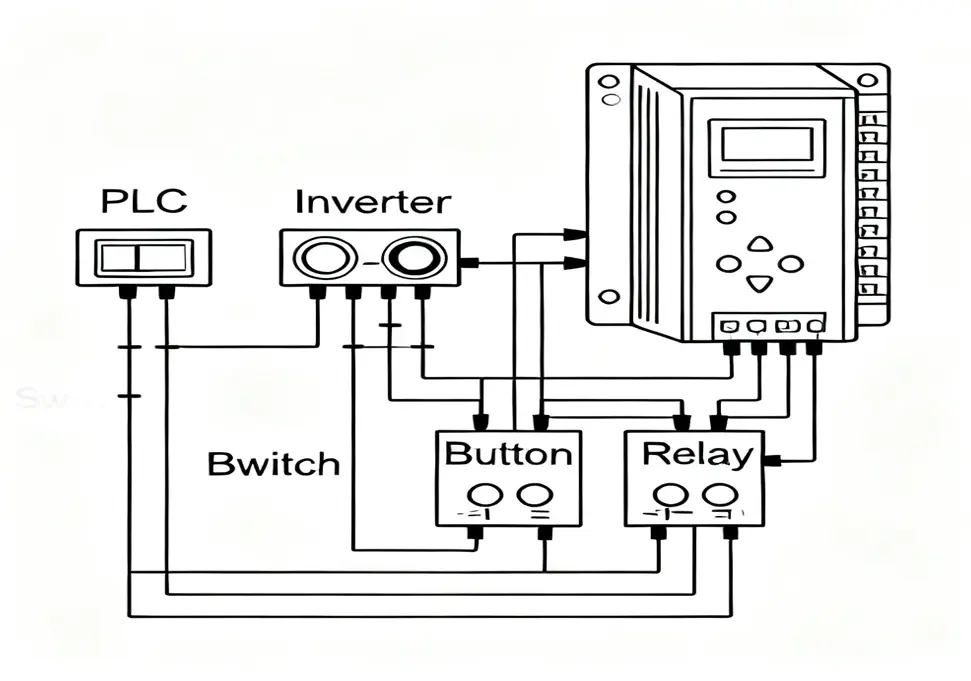
Typical PLC-Inverter Wiring Diagram:
PLC Output Module Inverter Digital Input
Y0 (Start) —-+—- DI1
|
Y1 (Stop) —-+—- DI2
|
Y2 (FWD/REV) –+—- DI3
|
+24V ———-+—- +24V
|
COM ———–+—- COM
Parameter Configuration:
- PLC outputs: Configure as sinking or sourcing outputs
- Inverter inputs: Match input type (PNP/NPN)
- Signal delay: Set appropriate debounce time (5-10ms)
5.3 Multi-Speed Control Application
Multi-Speed Control Wiring:
Speed Select Switches Inverter Digital Input
Switch1 (Speed1) —-+—- DI1
|
Switch2 (Speed2) —-+—- DI2
|
Switch3 (Speed3) —-+—- DI3
|
+24V —————-+—- +24V
|
COM —————–+—- COM
Speed Combination Table:
|
DI1
|
DI2
|
DI3
|
Speed Level
|
Frequency
|
|
0
|
0
|
0
|
Stop
|
0Hz
|
|
1
|
0
|
0
|
Speed 1
|
20Hz
|
|
0
|
1
|
0
|
Speed 2
|
35Hz
|
|
1
|
1
|
0
|
Speed 3
|
50Hz
|
|
0
|
0
|
1
|
Speed 4
|
10Hz
|
Parameter Settings:
- P0701 = 15 (Multi-speed bit 0)
- P0702 = 15 (Multi-speed bit 1)
- P0703 = 15 (Multi-speed bit 2)
- P1001 = 20.0 (Speed 1 frequency)
- P1002 = 35.0 (Speed 2 frequency)
- P1003 = 50.0 (Speed 3 frequency)
5.4 Typical Application Scenarios
Conveyor Belt Control:
- Inputs: Start button, stop button, emergency stop, photo sensor
- Outputs: Running indicator, fault indicator, alarm
- Function: Automatic start/stop based on product detection
Pump Control System:
- Inputs: Level switches (high/low), pressure switch, manual/automatic selector
- Outputs: Pump running, fault alarm, standby pump
- Function: Maintain constant water level with automatic pump alternation
Machine Tool Control:
- Inputs: Cycle start, emergency stop, limit switches, mode selector
- Outputs: Machine running, spindle rotation, coolant on/off
- Function: Sequential control of machining operations
HVAC System Control:
- Inputs: Thermostat contacts, fan switch, filter status
- Outputs: Compressor on, fan running, heater on
- Function: Temperature regulation with status monitoring
6. Common Problems and Troubleshooting
6.1 Digital Input Issues
Problem: Input Signal Not Recognized
Symptoms:
- Inverter does not respond to button presses
- Input indicator does not light up
- Function not executed despite correct wiring
Possible Causes:
- Incorrect wiring or loose connections
- Wrong parameter settings
- Power supply issues
- Damaged input terminal
- Signal polarity reversed
Troubleshooting Steps:
- Verify wiring against manufacturer’s diagram
- Check for loose or oxidized connections
- Measure input voltage at terminal (should be 24V when active)
- Confirm parameter settings for input function
- Test with alternative input terminal
- Check for damaged terminals or traces
Problem: Input Signal Intermittent
Symptoms:
- Inverter sometimes responds, sometimes not
- Random function activation
- Input indicator flickers
Possible Causes:
- Poor contact in wiring or terminals
- Electrical noise interference
- Insufficient debounce time
- Mechanical switch wear
- Voltage fluctuations
Solutions:
- Clean and tighten all connections
- Increase debounce time parameter (P0724)
- Add shielding to input cables
- Replace worn mechanical switches
- Check power supply stability
- Add surge protection
6.2 Digital Output Issues
Problem: No Output Signal
Symptoms:
- External device does not activate
- Output indicator does not light
- No voltage measured at output terminals
Possible Causes:
- Incorrect parameter settings
- Faulty output device
- Damaged output terminal
- Overload protection triggered
- Wiring issues
Troubleshooting Steps:
- Verify output function parameter settings
- Check if inverter is in proper operating mode
- Measure resistance of external device
- Test output with alternative load
- Check for blown fuses or tripped protection
- Inspect for damaged terminals
Problem: Output Signal Stuck On/Off
Symptoms:
- Output remains active even when not commanded
- Output remains inactive despite proper conditions
- Relay contacts welded closed
Possible Causes:
- Relay contact welding (mechanical outputs)
- Transistor failure (solid-state outputs)
- Software lockup
- Parameter configuration error
- External device short circuit
Solutions:
- Power cycle the inverter
- Check for short circuits in external wiring
- Replace failed output relay or transistor
- Reset inverter parameters to default
- Update inverter firmware if available
- Add external protection devices
6.3 System Integration Issues
Problem: PLC Communication Failure
Symptoms:
- PLC commands not reaching inverter
- Inverter status not updating in PLC
- Random communication errors
Possible Causes:
- Mismatched signal types (sinking/sourcing)
- Incorrect I/O addressing
- Timing issues
- Electrical noise
- Ground potential differences
Troubleshooting Steps:
- Verify signal compatibility (PNP vs NPN)
- Check I/O addressing in PLC program
- Add delay in PLC program if needed
- Implement proper grounding practices
- Add optical isolation if necessary
- Check for electromagnetic interference
Problem: System Logic Errors
Symptoms:
- Unexpected system behavior
- Conflicting functions activating
- Safety interlocks not working
Possible Causes:
- Incorrect logic in control program
- Improper input/output configuration
- Missing interlock conditions
- Parameter setting conflicts
- Sequence timing issues
Solutions:
- Review control logic diagram
- Verify interlock conditions
- Check for conflicting parameter settings
- Test system step-by-step
- Add monitoring for critical signals
- Implement proper fault handling
6.4 Preventive Maintenance
Regular Inspection Items:
- Connections: Check for tightness and corrosion
- Terminals: Inspect for damage or overheating
- Cables: Check for wear, cuts, or insulation damage
- Switches: Test for proper operation and contact quality
- Indicators: Verify proper operation of status lights
Cleaning Procedures:
- Power off equipment before cleaning
- Use compressed air to remove dust
- Clean terminals with appropriate contact cleaner
- Inspect for insect infestation in control cabinets
- Verify proper ventilation
Calibration and Testing:
- Regularly test input/output functions
- Verify parameter settings
- Test emergency stop functions
- Check safety interlocks
- Document test results for future reference
Summary
Switching quantity plays a fundamental role in industrial automation, providing simple yet effective control through binary ON/OFF signals. Inverter digital inputs and outputs serve as the critical interface between control systems and motor drives, enabling precise control of industrial processes.
Key Takeaways:
- Switching Quantity Basics: Understanding the binary nature of switching signals is essential for industrial control
- Digital Inputs: Proper configuration and wiring of DI terminals enable various control functions
- Digital Outputs: DO terminals provide valuable status information for system monitoring
- System Integration: Proper design and troubleshooting of digital I/O systems ensure reliable operation
- Maintenance: Regular inspection and testing prevent unexpected failures
By mastering the concepts and techniques presented in this guide, engineers and technicians can effectively design, implement, and maintain robust inverter-based control systems using switching quantity signals. The simplicity and reliability of switching quantity control continue to make it an indispensable tool in modern industrial automation.